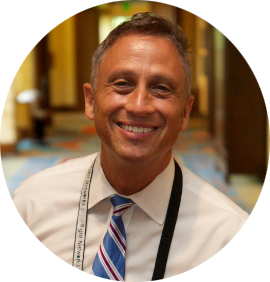
CPA PC & Creator/President at QuickBooks Made Easy
Learn moreA 3-day webinar series (2 and a half hours per day) teaching 7.5 hours of vital QuickBooks information specifically for non-profit organizations. From basic topics such as Setting Up Correct Accounts; Entering Your Programs; and Adding Your Annual Budget to more advanced topics such as Entering Donations and Grants; Essential Reports for the Board/Auditor; and Printing Personalized Donor Thank You Letters Directly from QuickBooks, Gregg covers all the bases. This training is for users of the Online version of QuickBooks.
NAO Members get a discount on this webinar series by using the discount code in the Member Dashboard. You must be logged in to view this page.
To register, you will be re-directed to QuickBooks Made Easy’s website. If you have any questions, contact [email protected].
The material will cover the basics of setting up and entering transactions specifically for Nonprofits, an overview of the software updates included in the QuickBooks® 2024 as well as advanced topics including:
The material will walk through how to set up and enter the most common transactions that nonprofits need to make:
This section will cover advanced material to really help you do some helpful and amazing things:
November 4-6, 2025
11:00 a.m. – 1:30 p.m. PST / 2:00 p.m. – 4:30 p.m. EST
Full 3-Session Series
$229 for NAO Members
$299 for Nonmembers
Individual Session
$109 for NAO Members
$149 for Nonmembers
A 3-day webinar series (2 and a half hours per day) teaching 7.5 hours of vital QuickBooks information specifically for non-profit organizations. From basic topics such as Setting Up Correct Accounts; Entering Your Programs; and Adding Your Annual Budget to more advanced topics such as Entering Donations and Grants; Essential Reports for the Board/Auditor; and Printing Personalized Donor Thank You Letters Directly from QuickBooks, Gregg covers all the bases. This training is for users of the Online version of QuickBooks.
NAO Members get a discount on this webinar series by using the discount code in the Member Dashboard. You must be logged in to view this page.
To register, you will be re-directed to QuickBooks Made Easy's website. If you have any questions, contact [email protected].
[accordion title="Event Topics"]
[accordion-item title="Day 1" info="November 4"]
The material will cover the basics of setting up and entering transactions specifically for Nonprofits, an overview of the software updates included in the QuickBooks® 2024 as well as advanced topics including:
[/accordion-item]
[accordion-item title="Day 2" info="November 5"]
The material will walk through how to set up and enter the most common transactions that nonprofits need to make:
[/accordion-item]
[accordion-item title="Day 3" info="November 6"]
This section will cover advanced material to really help you do some helpful and amazing things:
[/accordion-item]
[/accordion]
November 4-6, 2025
11:00 a.m. – 1:30 p.m. PST / 2:00 p.m. – 4:30 p.m. EST
Full 3-Session Series
$229 for NAO Members
$299 for Nonmembers
Individual Session
$109 for NAO Members
$149 for Nonmembers
CPA PC & Creator/President at QuickBooks Made Easy
Learn more